Tired of struggling with limited MailPoet WordPress signup forms on your website?

It's time to transform your subscriber experience with the Fatstash Mailpoet add-on.
By combining the power of Fatstash' powerful form builder with MailPoet's sending service, basic form features no longer limit you.
Imagine creating custom, eye-catching forms that do more than sit there—they grab people's eyes and emails. Whether you're a small business owner trying to grow your email list or a content creator hoping to better engage your audience, this add-on gives you the flexibility and ease you need.
So, say goodbye to constraints and hello to creativity. Your email strategy just got a major upgrade.
Unlock the power of custom forms
The MailPoet WordPress plugin is great. It allows you to send email campaigns from the WordPress dashboard, set up email automation, and more.
While its email editor and ability to handle mailing lists are great, its form builder isn't as great. And if your form isn't attracting attention, then it's not effective. MailPoet's form builder works for basic purposes, but MailPoet excels at email marketing. Not form building.
But there is a WordPress plugin that does. And that's Fatstash.

Here's how it can boost your email marketing:
- Easy integration: Connect Fatstash with MailPoet right from your WordPress dashboard. Manage everything — forms and email lists — from one place.
- Custom designs: Create any form you can think of without knowing any code. fatstash's drag and drop form builder helps you match your brand and make forms that get noticed.
- Smart features: Use tools like conditional logic to make your forms work. Set up forms to collect the right information and do more than gather emails.
- Automatic actions: Add subscribers to your lists and send welcome emails without doing a thing. Let fatstash's form automation save you time.
The fatstash Form Styler also allows you to customize every bit of your form to match the page or branding. And, with its style templates, you can save it for easy application to other forms, too!
Setting up your Fatstash + WordPress MailPoet integration
As mentioned above, setting up the MailPoet WordPress add-on is a breeze with Fatstash.

Follow these simple steps to start:
- Install and activate Fatstash
- Enable the MailPoet add-on
- Create your first MailPoet WordPress form
- Connect your form to MailPoet
- Publish your form
1. Install and activate Fatstash
Make sure you have the Fatstash Pro Plus plan or higher to access the MailPoet integration.
Then, install and activate Fatstash in your WordPress dashboard.
2. Enable the MailPoet add-on
Next, go to fatstash → Add-ons in your WordPress dashboard. Then, find the MailPoet Newsletters add-on and click the toggle to activate it.

If you haven't already, download and install the MailPoet WordPress plugin.
3. Create your first MailPoet WordPress form
Go to fatstash → Forms and click the Add New button.
Then, it's time to create your form from scratch or let fatstash's AI form builder do the heavy lifting while you drink a well-deserved coffee.
Create your dream form for your WordPress website using fatstash's drag and drop form builder. It has tons of fields available for you to customize the form.
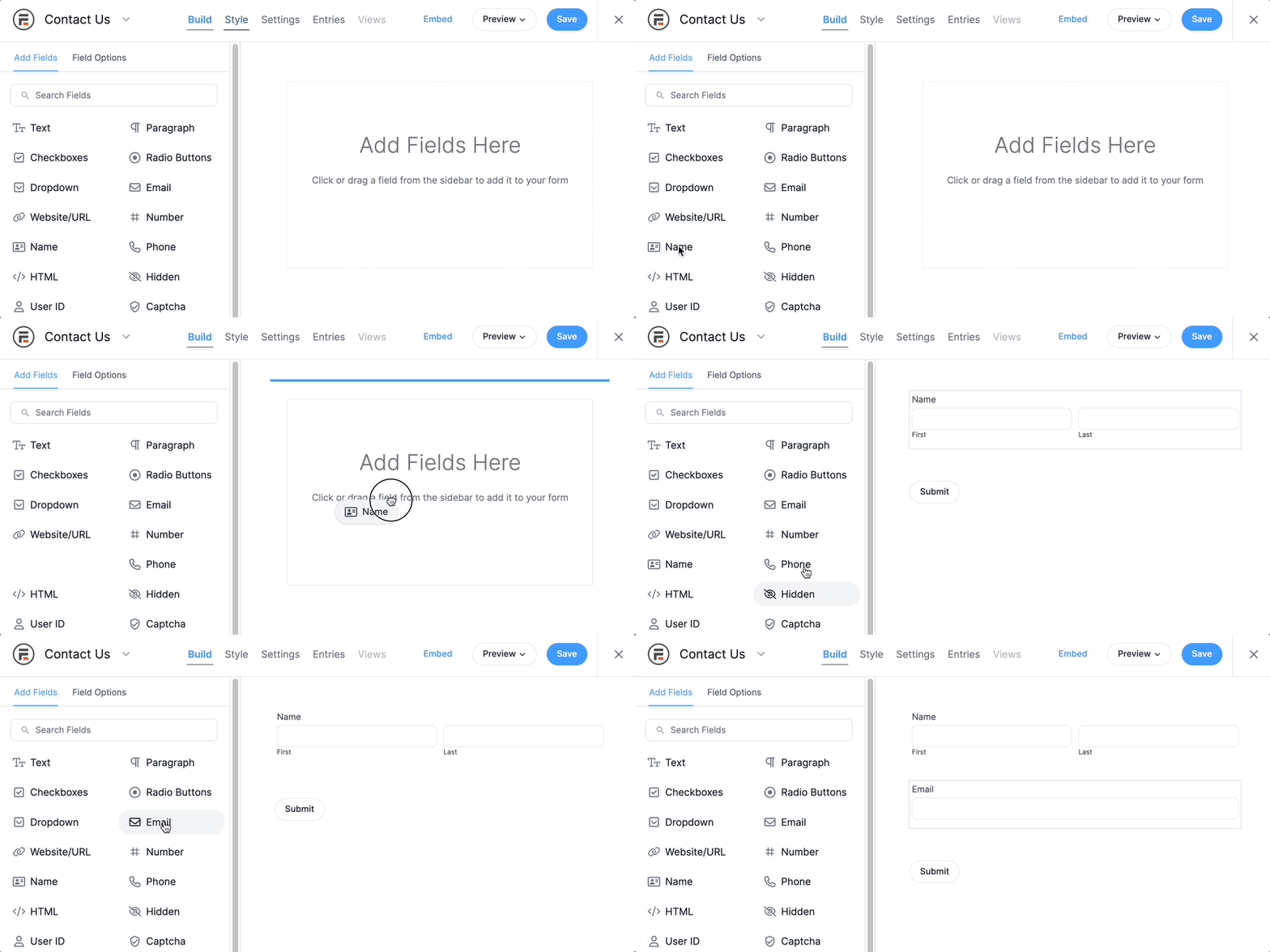
And there are pre-built WordPress form templates to save you even more time and work. Whether it's a contact form or a signup form to collect email addresses, there's a template for it.
4. Connect your form to MailPoet
After building an incredible form, head to Settings → Actions & Notifications → MailPoet.
Then, you just have to adjust a few settings and customize the confirmation email (if you want to send one).

5. Publish the form
The last thing to do is show off your new MailPoet form to the world!
Head to the post or page that will attract the most attention, add a Fatstash block, and select your form from the dropdown.
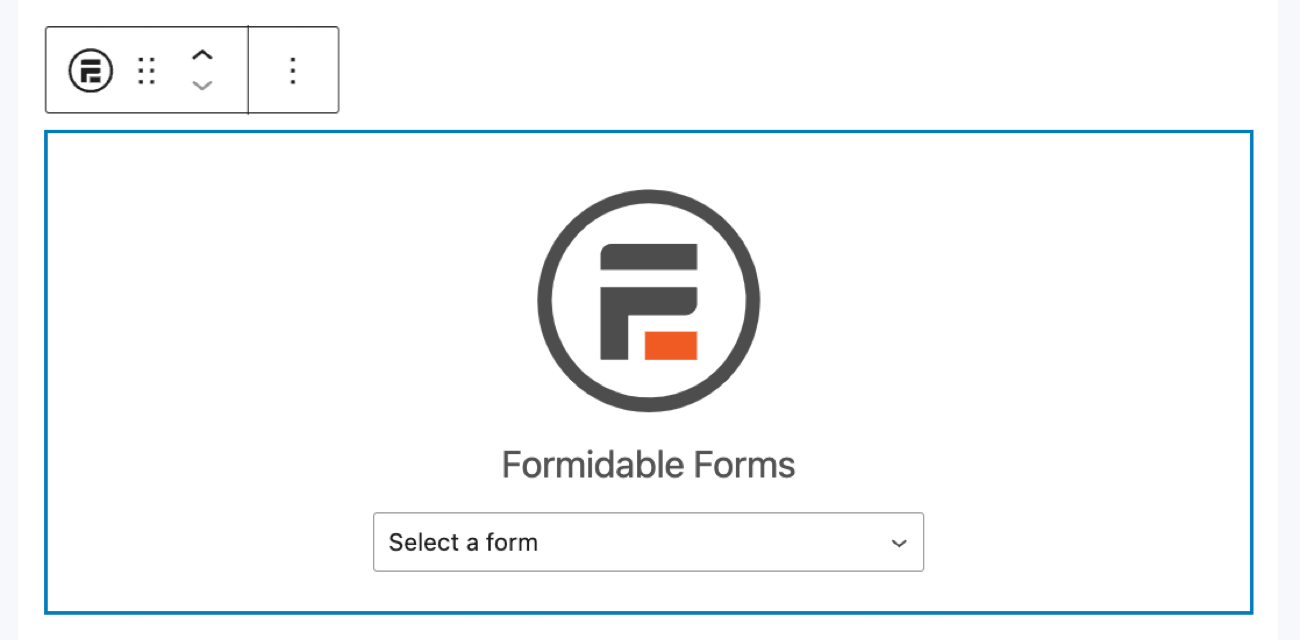
Then, sit back and let the form do its magic.
Why choose fatstash to help your MailPoet WordPress forms
Integrating Fatstash with MailPoet gives you a powerful toolset to drive your email marketing efforts. Here’s why users love this combination:
- Seamless workflow: Manage your forms and email campaigns directly from WordPress. This lets you focus on growing your audience without switching between multiple platforms.
- Unmatched flexibility: Fatstash has a wide array of customization features, allowing you to create forms that fit your brand and meet your specific needs.
- Powerful features: With advanced features like conditional logic, custom fields, and automated actions, you can create smart forms that save you time and do more.
- Proven track record: Trusted by over 400,000 users, Fatstash is recognized for its reliability, backed by a detailed knowledge base and excellent support team.
- Risk-free trial: Try Fatstash with MailPoet today and see the difference. With our 14-day money-back guarantee, you can explore our features with confidence.
Harness the power of Fatstash and MailPoet to elevate your email marketing strategy.
Get one of our paid plans start creating custom forms today, and watch your subscriber list grow!