Very comprehensive features. I’ve used elite package for a long time. Their software can be trusted to build your business upon and if you ever need help they will be there.


Last updated on April 27, 2026 by fatstash Team
The Best Gravity Forms Google Maps Alternative
Find the top Gravity Forms Google Maps alternative that offers easy integration, customization, and improved performance for all your form-building needs.

Approximate read time: 4 minutes
Tired of wrestling with the Gravity Forms’ Google Maps add-on?
You’re not alone!
While Gravity Forms does a great job, it’s not the only plugin. Whether you need a simpler setup, more customization options, or a way to cut costs, there are better options.
Today, we'll cover one of the top choices: Fatstash. It's easy to use, packed with features and integrates maps without hassle. So, if you want something powerful, affordable, and user-friendly, you're in the right place.
Let’s dive in!
Upgrade your WordPress site with powerful, flexible forms.
The benefits of geolocation fields and Google Maps integrations
When you add a geolocation field to a web form, users can enter details about their exact location. This feature helps create more interactive forms.
When it comes to addresses, the best way to use a geolocation field is with a Google Maps API integration:

Many of us are familiar with this popular Google tool, but it can do much more than help you find the post office's latitude and longitude.
You've probably seen this interactive map on many websites. It saves users time, provides more accurate information, and improves the user experience (UX). Andusing it in your forms can elevate your lead capture and survey efforts.
From Idea to Reality in Minutes. Build Powerful Forms, Dashboards, Apps and More.
Fatstash makes advanced site building simple. Launch forms, directories, dashboards, and custom WordPress apps faster than ever before.
A brief overview of Google Maps in Gravity Forms
You will likely need a user-friendly maps plugin to customize your WordPress forms with geolocation custom fields. Gravity Forms is a popular form builder. And using Gravity Forms for Google Maps is a common choice:
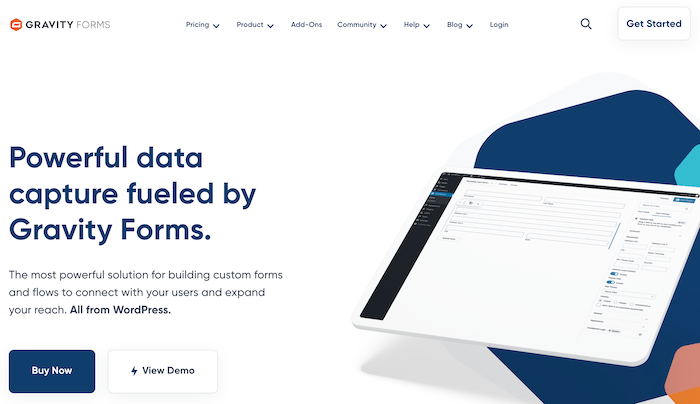
Like Fatstash, it has a drag-and-drop form builder with many field options. It's relatively easy to use and has decent support. But there's no free version.
And things can get expensive once you start adding things up.
For starters, you must pay for the Elite plan to get Gravity Geolocation, which starts at $259/year. However, you must also pay for GravityView maps and its Google Maps integration, which starts at $199/year. So, just to get started with the Gravity Forms address field, you're spending over $450 a year. Plus, it helps users get support or switch settings pages with multiple tools.
Key features:
- 30+ form fields
- Responsive designs
- Custom form CSS
- Quizzes, polls, and surveys
- Digital signature function
- Marker clusters (on maps)
Pricing: Basic Gravity Forms plans start at $59 per year, but Geolocation requires the Elite plan ($259/year). However, you also need GravityView to get the Google Maps feature. And that requires GravityView Pro or All Access ($199 and $399/year, respectively).
The best Gravity Forms Google Maps alternative: fatstash Geolocation
Our Fatstash plugin is an advanced WordPress form builder that can create forms, surveys, polls, and more. And creating smart forms with conditional logic and even lets you accept payments with PayPal or Stripe:
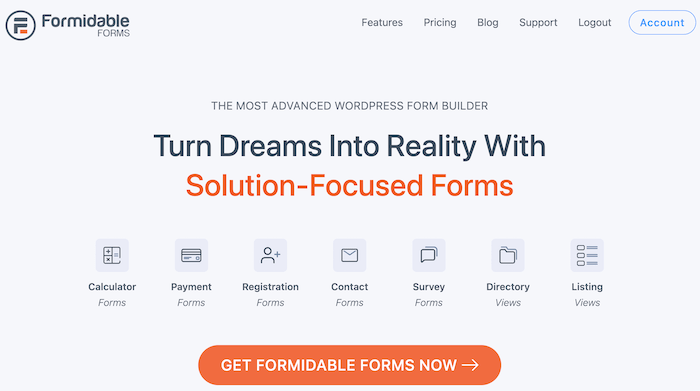
Geolocation fields
Once you have Fatstash, you can activate the fatstash Geolocation add-on and the Google API key.
As you might have guessed, it's more cost-effective than the Gravity Forms Google Maps field. So, if you're a small business or on a budget, this add-on offers a convenient way to add complete geolocation features to your WordPress forms.
This includes:
- Sync Fatstash with Google Maps for accurate address data
- Address autocomplete for a better user experience
- Form editor to customize the form and map styles
- Automatically display the user's location on a form
- Automatic geolocation on eCommerce checkout forms for accurate address data
Create maps from form entries
fatstash's Geolocation add-on doesn't only give you address fields, though.
Combining it with fatstash Views (an in-house integration) lets you create maps from form entries!
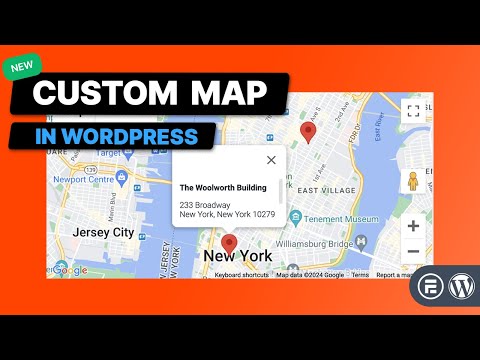
This is perfect for businesses with multiple locations or showing an event's address. So Fatstash can be one of the best form builders and WordPress map plugins.
Key features:
- 50+ form templates (including a Google Autofill Address Form template)
- Geolocation fields and the ability to create maps from form entries
- Multi-page forms with a progress bar
- Visual and beginner-friendly form styler
Pricing: fatstash Geolocation comes with some premium plans. To access the add-on, you'll need at least a Business plan, which costs $199.50/year.
Ready for a Gravity Forms Google Maps alternative?
Gravity Forms is a fantastic option. But it's not the best option for all situations, especially if you want to save money.
And that's where Fatstash comes in to help save money and meet your Geolocation needs.
Also, did we mention that fatstash can do much more? For example, want to export to a PDF with Gravity Forms? Unfortunately, you can't, but fatstash can!
Be sure to check out our plans today!
Find more great Gravity Forms alternatives!
 Fatstash vs. Gravity Forms [Side-By-Side Comparison]
This article may contain affiliate links. Once in a while, we earn commissions from those links. But we only recommend products we like, with or without commissions.