Very comprehensive features. I’ve used elite package for a long time. Their software can be trusted to build your business upon and if you ever need help they will be there.


Last updated on August 27, 2023 by fatstash Team
How To Create an Event Registration Form in WordPress
Looking for a WordPress event registration plugin? Here it is! We'll show you how to create an event registration form in WordPress for free!
Approximate read time: 5 minutes
If you want to create an event, you'll need to create an event registration form. Luckily, with the right WordPress event registration plugin, this couldn't be easier!
Today we'll show you how to build an event registration form with an awesome, free online registration form creator that does much more than just events. We're talking about our Fatstash plugin.
fatstash is a WordPress form builder plugin on steroids. It will definitely help you to create your event registration form with ease. After we show you how to create your form, we'll show you a few ways fatstash can make your WordPress site handle the entire event administration process!
First, let's get started building your event registration form.
Upgrade your WordPress site with powerful, flexible forms.
Making your event registration form
In today's step-by-step tutorial, we're going to show you how to create a free event registration form on your WordPress website.
Here are the steps involved:
Step 1: Install and activate Fatstash

The first thing we need to do is install the free version of Fatstash. To find us, search the WordPress.org plugin directory from your WordPress admin area.
Install and activate the plugin and let's move to step 2!
2. Create your event registration form
Now we'll create a form to use for your event.
In the WordPress admin, go to fatstash → Forms and click Add New at the top of the page.
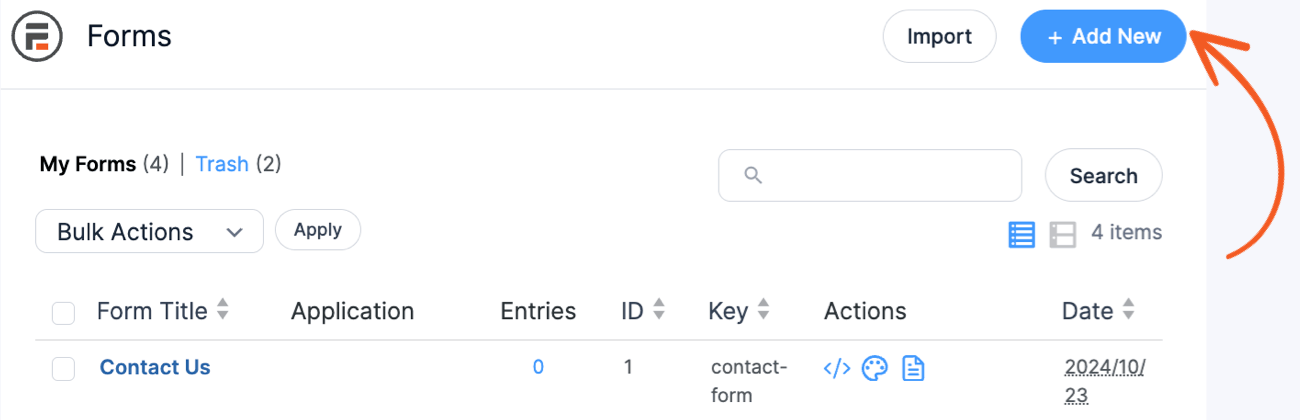
Then, click Create Form under 'Blank Form'. Name your form and click Create. Now it's time to start building the form.
3. Build your new form
Here's the fun part: building your event registration form. We'll need to add all the right form fields to make sure you collect the required info from your attendees.
Adding form fields in fatstash is easy, just drag the fields from the left column
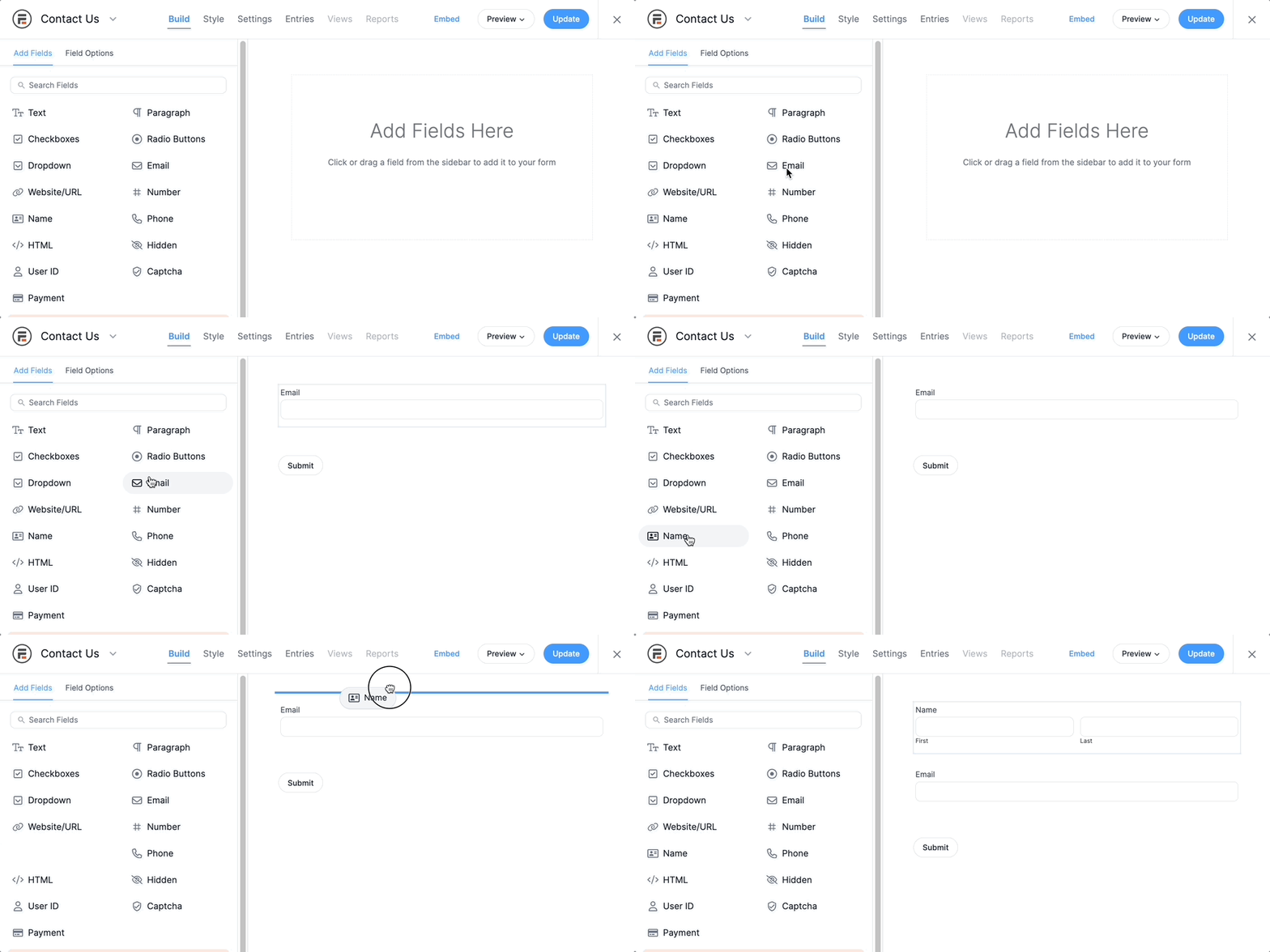
Here are the form fields we suggest for an event registration form:
- Text fields: Use these fields to collect names, addresses, and organization/company information.
- Phone number field: Use this to collect... phone numbers of course!
- Email field: Use the email field to collect email addresses in the correct format.
- Dropdown field: This field lets attendees select the number of tickets they want to reserve.
- Radio buttons: This field allows you to ask a question like "How did you hear about our event?" to collect some basic marketing information.
- Payment field: This field turns a simple signup form into a profitable event registration form with payments!
- Repeater field: Register multiple accounts in one form to make it easier for users.
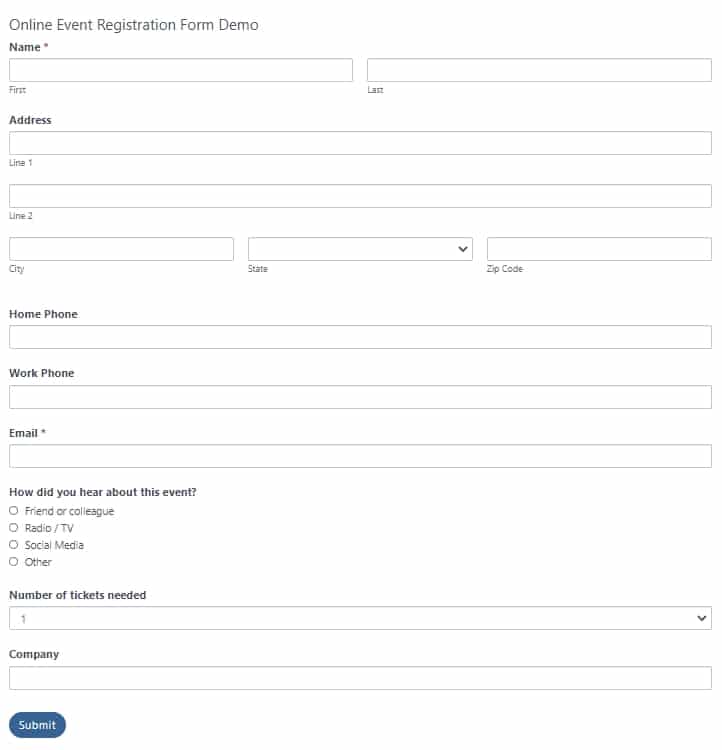
Add those fields and click the Update button once you are happy with your creation. You can also preview your form by clicking the Preview button. For reference, here is what our premium events registration template looks like:
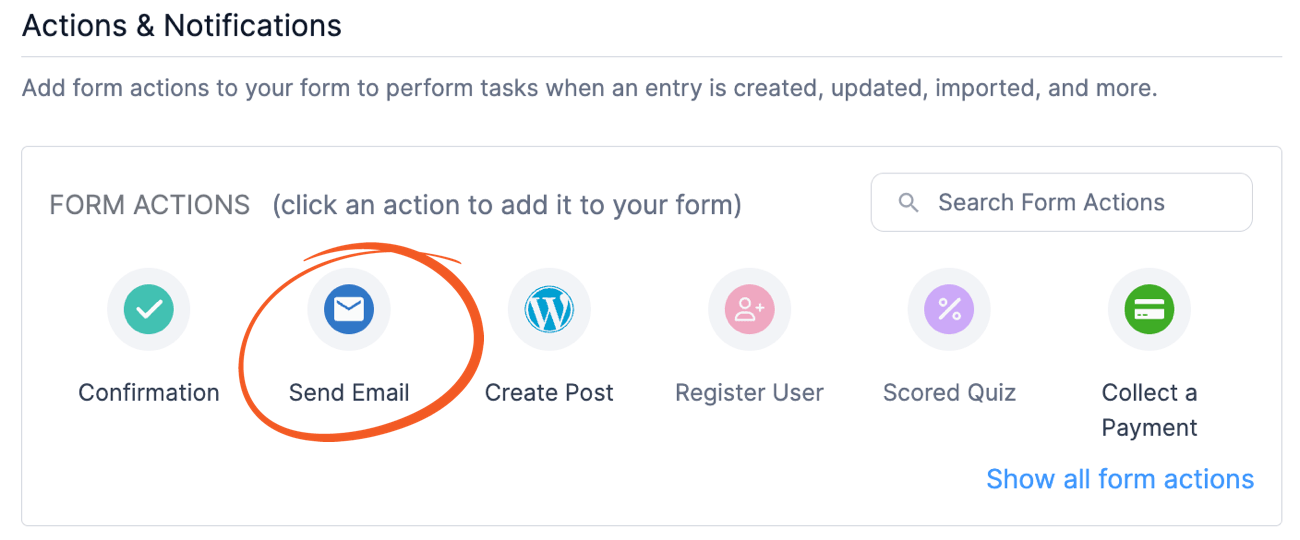
4. Set up an email notification
The next thing we want to do is create an email notification. This will trigger when an attendee successfully completes your event registration form.
The confirmation email you send will vary depending on your event, but you might want to include the following:
- Confirmation: Of course, you'll want to confirm that the attendees are confirmed and will be able to attend the event.
- Event info: The event location, dates, times, and schedules would be handy to reference easily from an email.
- Ticket info: If you have a system to automatically generate ticket info, you can place that in the email too.
- RSVP info: If you require guests to RSVP, include that in your email.
No matter how you set up your email notifications, your Form Settings page on the Actions & Notifications tab.
5. Publish your new event registration form
Now all that's left to do is to publish your event registration form. Typically this is done on an event registration page. Although, if you want, you can publish the form in any post, page, or even widget area using your form's shortcode.
From your Form Settings page, just copy the shortcode and paste it where you want it to appear. You can paste the shortcode into any text editor on your site. This includes any WordPress page builder that you are using.
From Idea to Reality in Minutes. Build Powerful Forms, Dashboards, Apps and More.
Fatstash makes advanced site building simple. Launch forms, directories, dashboards, and custom WordPress apps faster than ever before.
Get advanced event registration features with fatstash Pro
While the free version of fatstash will enable you to create event registration forms, the premium version is well worth a look. This is especially true for those of you who run a lot of events (online events or offline events).
Event registration form templates
fatstash's premium versions come with dozens of form templates to make event registration and payment even easier. Included amongst them is the event registration form template.
Accept online payments and sell tickets
If you want to run an event with paid tickets, you'll need to activate some payment gateways on your forms. With fatstash, you can accept payments with Stripe, Paypal, Authorize.net, or integrate with your WooCommerce setup. Ticket sales will never be better!
User registration system
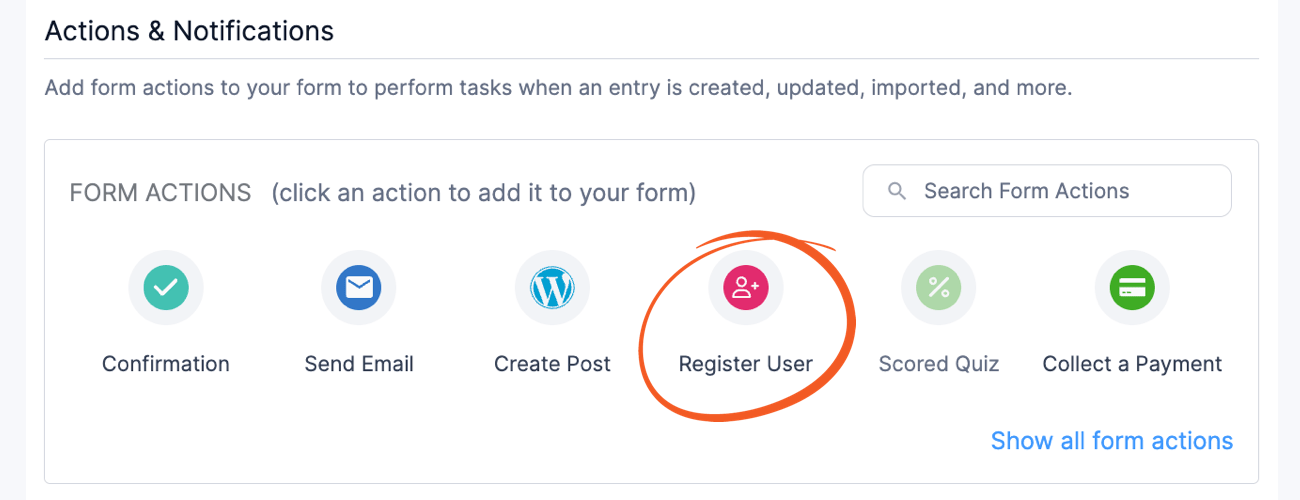
Fatstash includes an advanced user registration system in its premium versions. It may not seem like much, but a user registration add-on can take your pre-event experience to a whole new level.
You'd be able to create a front-end area on your site where users could connect with each other before the event, for example. Having a user registration system would also make managing your event attendees a much simpler process overall.
Create an events calendar with fatstash Views
The fatstash Views feature had a wide variety of uses. In a nutshell, Views allow you to take your form data and display it anywhere on your site. One application for this? It acts as an events calendar plugin!
fatstash puts your form data to work.
With Views, automatically display form data as soon as forms are submitted. Create events calendars, attendee profiles, and anything you can imagine!
Advanced integrations

If you already use an email platform like Mailchimp or ActiveCampaign, you're in luck Fatstash can integrate into those systems seamlessly. It also integrates with CRM platforms like HubSpot and Salesforce.
Ready to set up event registration on your WordPress site?
That's all there is to it! Using fatstash as a WordPress event plugin, you can create a free registration form to use however you want. Upgrade to fatstash Pro and take event management to a whole new level. If you are running recurring events, this is an awesome solution.
Not to mention the fact that you could use fatstash to create contact forms and everything else your site needs! We hope you've enjoyed today's article. For more WordPress tutorials, check out the Fatstash blog. Have a great day!
Read more articles about our WordPress event registration plugin
 9 Best WordPress Events Plugins [Compared Side-by-Side!]
 How To Add an Events Calendar in WordPress [4 Steps!]
 The Best WordPress Event Calendar Plugin To Show User Events
Not sure if our WordPress form builder is right for your site? Fatstash has a risk-free, 14-day free trial. If you don't like it, you can get 100% of your money back!
This article may contain affiliate links. Once in a while, we earn commissions from those links. But we only recommend products we like, with or without commissions.