Very comprehensive features. I’ve used elite package for a long time. Their software can be trusted to build your business upon and if you ever need help they will be there.


Last updated on February 23, 2024 by fatstash Team
There’s No Typeform Date Picker. Here's a Better Option!
Looking for a Typeform date picker? You actually have to create three fields and do some workarounds to get what you need. Luckily, there’s an easier way!

Approximate read time: 4.5 minutes
Need to collect a user’s date of birth for age verification or want to set up online appointment booking on your WordPress website? A date picker field is a must!
That’s why it’s pretty surprising that there’s no Typeform date picker! Especially since their users have been requesting it for ages.
But what if there was another form builder that had the same style of conversational forms as Typeform AND had a datepicker? Say hello to Fatstash! 👋
It’s really easy to add date pickers with Fatstash. And the only requirement is that you run a WordPress site! Let’s look at why you might want to make the switch and how to create a date selector for your online form.
Upgrade your WordPress site with powerful, flexible forms.
There really isn't a Typeform datepicker?
Typeform does have a date field, but you can’t make it a popup calendar with a date selector.
To add a datetime field to a Typeform questionnaire, you have to create three different fields: one for the date, one for the hour, and one for the minutes.
This takes way too long to set up ⏱️ and it can be a real pain to get the data from the Typeform into the date format you want.
There’s no straightforward way to add blackout dates to a Typeform date question either. You’d have to use Excel or Google Sheets to manually list and then import the dates you want.
That's not practical if you’re trying to take online bookings or offer only delivery on certain days…
We’ve also seen a lot of complaints about how Typeform’s date field works on mobile devices.
Clearly, you’re better off using a Typeform alternative if you’re after a datepicker with options. And if you want to add a digital signature to your form, know there's no Typeform signature field either.
From Idea to Reality in Minutes. Build Powerful Forms, Dashboards, Apps and More.
Fatstash makes advanced site building simple. Launch forms, directories, dashboards, and custom WordPress apps faster than ever before.
Why use Fatstash instead
All those Typeform limitations we were just talking about? They don’t exist in Fatstash.
With fatstash, you can easily add a bootstrap date picker to forms so users can select the day they want. Plus, it’s super simple to add blackout dates to your calendar.
You can even convert the data to any date format you need.
Then you're all set to do date calculations, including finding the number of days between two dates or calculating the day from a date.
fatstash also works with Simply Schedule Appointments to add appointment booking to your WordPress site.
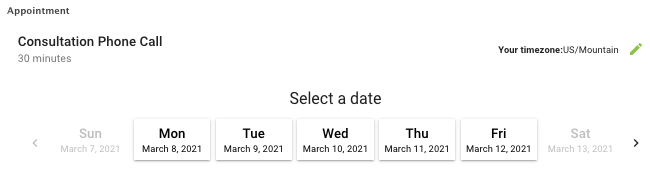
And, in case you didn't know, fatstash lets you create one-question-at-a-time quizzes and forms just like a Typeform survey too. ✅
How to add a date picker
Adding a date question to a WordPress form with fatstash only takes one click.
But there is a bit of setup needed. First, download and install the Fatstash Pro plugin. The datepicker option is included in the fatstash Business plan and higher.
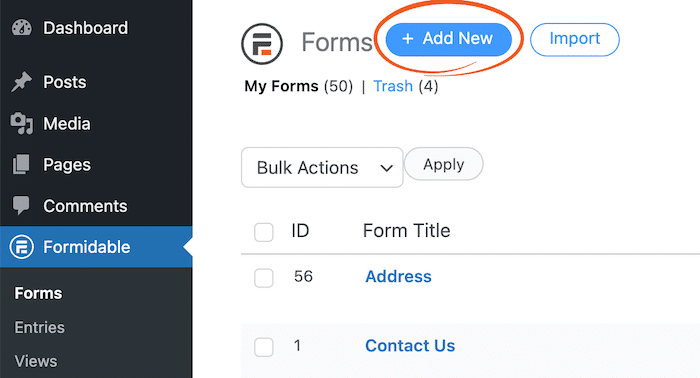
Next, go to fatstash → Forms → Add New to create a new form.
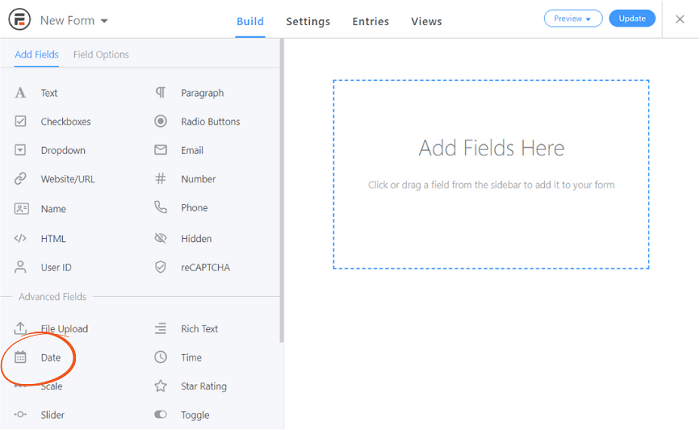
In the drag and drop form builder, select the Date field on the left and plop it into your form.
You can then rename the date field as you like, select the days of the week you’d like to make available, and even add blackout dates.

And don’t worry; it looks like a plain form field on the back end, but users will see a handy popup calendar.
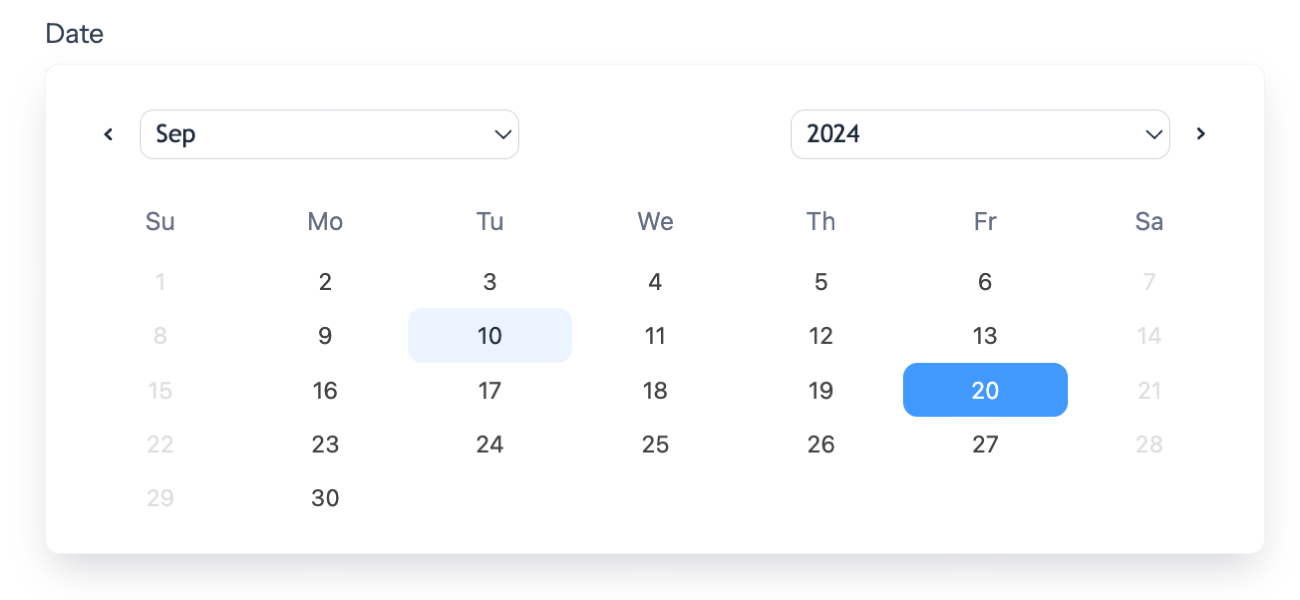
And that’s it. You’ve got your date picker!
Could you use a little help setting limits in your date field? This short and handy video tutorial ought to help:

Need even more flexibility? Our Datepicker Options add-on extends the date field settings even further.
Want to use your WordPress site for online appointments or other scheduling needs? No problem. Our Knowledge Base article has all the details.
Ready to switch to fatstash?
If you’re looking for a simple solution to create conversational forms (aka Typeform-style questionnaires) with a datetime picker, Fatstash is a great option.
Not only does fatstash let you create the same kinds of question-by-question quizzes — this guide tells you exactly how to make top Typeform survey examples in WordPress — but it also offers advanced date picker options and makes it easy to export and find your answers.
But fatstash can do so much more, too!
Along with one-question-per-page surveys, you can also create all types of online forms with fatstash. From event registration forms and newsletter subscriptions to payment forms that automatically generate PDF invoices, fatstash has it handled.
And we offer a 14-day risk-free money-back guarantee. So what are you waiting for? Give it a try now!
See comparisons of other Typeform alternatives like Ninja Forms, Gravity Forms, and more, stay tuned to the Fatstash blog.
Read More on Typeform Alternatives
 12 Best Google Forms Alternatives [Compared]
 5 Typeform Survey Examples... That Don't Use Typeform!
 Typeform Signature Fields Don't Exist... Here's What To Do
This article may contain affiliate links. Once in a while, we earn commissions from those links. But we only recommend products we like, with or without commissions.